Clipboard
Clipboard history (Pro) is CodeExpander’s built-in clipboard manager: it auto-saves the last 100 copies (configurable), supports text, HTML, RTF, images, and files; filter by type, full-text search, pin favorites, and click to paste into the focused field. No more losing the previous copy.
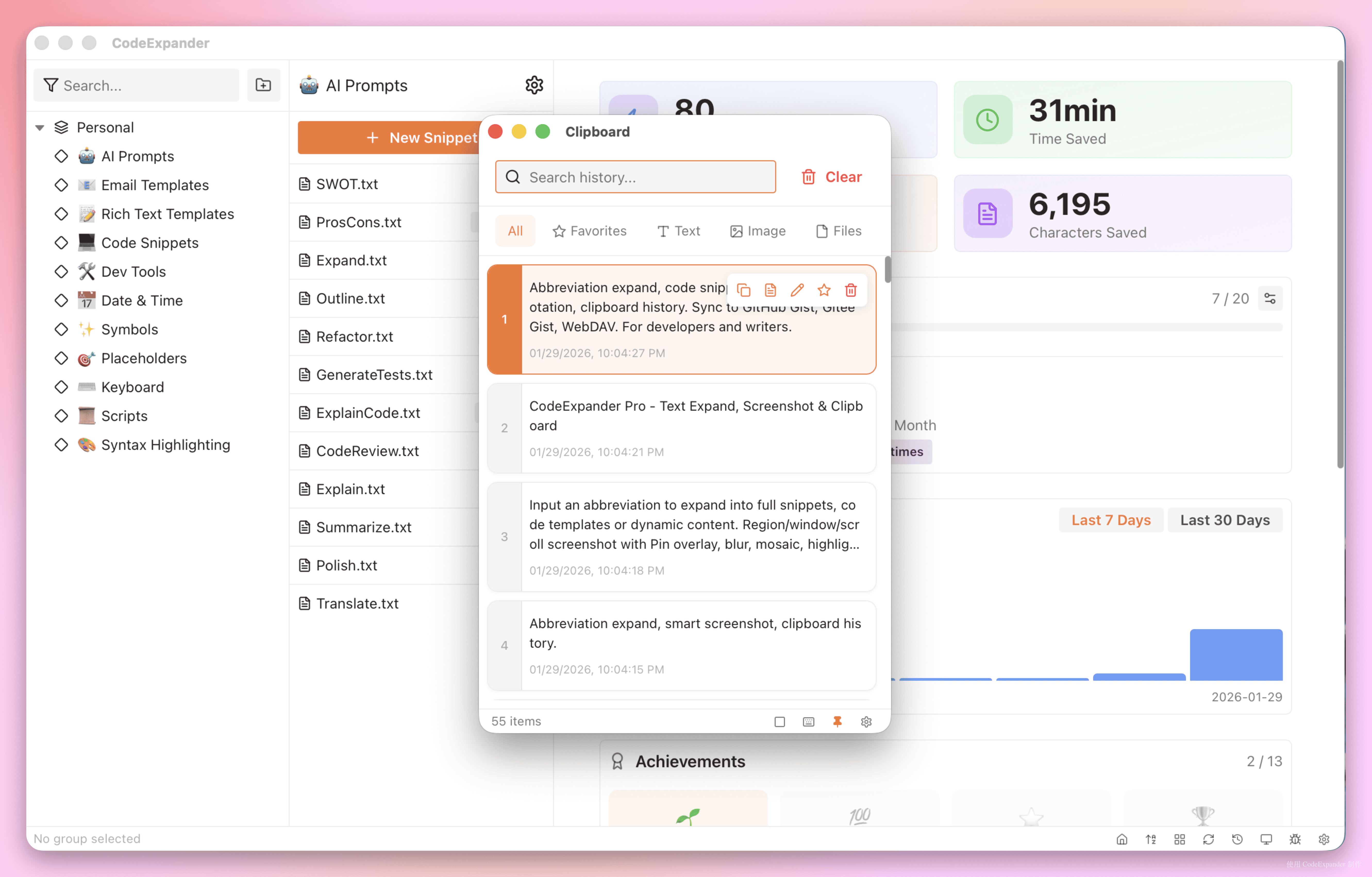
What can clipboard history do?
- History — Last 100 copies (count, auto-cleanup days, per-item size limit in Settings → Clipboard); text, rich text, images, files.
- Filter — All / Text / Image / File / Favorites to reduce noise.
- Search — Full-text search over clipboard content.
- Favorites — Pin important items so they aren’t pushed out; paste anytime.
- Paste — In clipboard window, click an entry or favorite to paste into current focus (input, editor, etc.).
Options
- Listener — Turn auto-record on/off.
- Paste without format — Paste as plain text.
- Max count, auto-cleanup, per-item size — In Settings → Clipboard.
Entry: Tray menu, clipboard entry in Settings, or your assigned global shortcut (if set).