Clipboard
Clipboard history (Pro) is CodeExpander’s built-in clipboard manager: it auto-saves the last 100 copies (configurable), supports text, HTML, RTF, images, and files; filter by type, full-text search, pin favorites, and click to paste into the focused field. No more losing the previous copy.
- just nowCE-xxxx-xxxx-xxxxText · license
- 2 min agohttps://codeexpander.comText · URL
- 10 min agoerror.pngImage · 1280×800
Clipboard history: filter, search, click to paste. Does not steal focus from the app you are typing in.
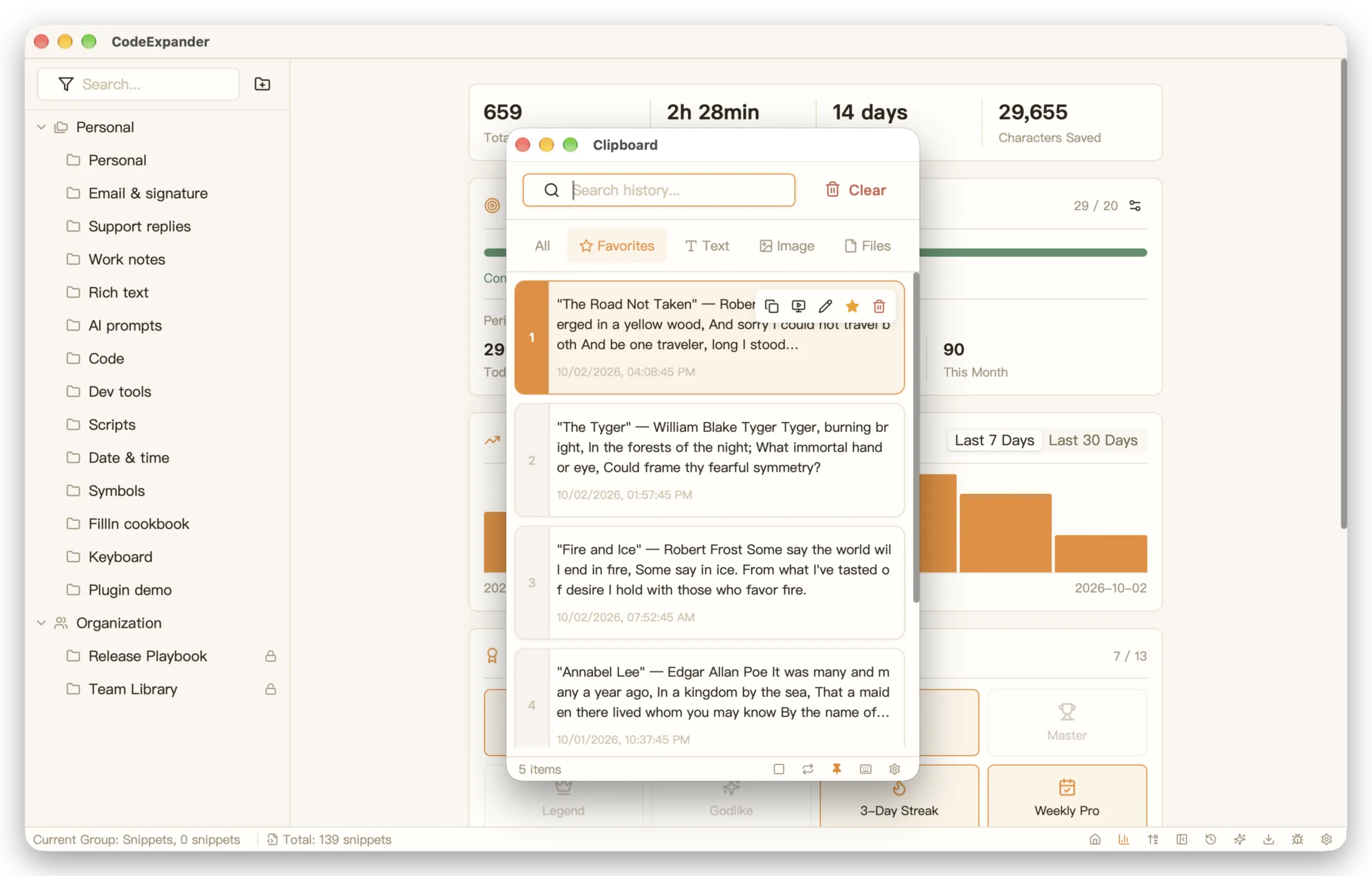
What can clipboard history do?
- History — Auto-save copied content (text, HTML, RTF, images, file paths); item count configurable (0-10000).
- Filter — Filter by “All / Text / Image / Files / Favorites” to reduce noise.
- Search — Full-text search through clipboard history; powered by tantivy indexing.
- Favorites — Pin important items; they won’t be pushed out by new copies.
- Paste — Single or double click (configurable) to paste into the focused window; supports returning focus after paste.
- Paste without formatting — Paste as plain text, stripping rich text formatting.
- Notes — Add notes to clipboard entries.
Configuration
Configure in Settings → Clipboard:
Basic
| Setting | Description | Range |
|---|---|---|
| Enable clipboard history | Toggle auto-recording | — |
| Click to paste | Single / double click to paste | — |
| Window position | Remember last / center / cursor | — |
Format
| Setting | Description | Range |
|---|---|---|
| Copy as plain text | Strip formatting on copy | — |
| Paste as plain text | Strip formatting on paste | — |
| Auto-sort by frequency | Frequently used items first | — |
| Single item size limit | Skip items exceeding this size | 0-500 MB |
History Management
| Setting | Description | Range |
|---|---|---|
| Max item count | Auto-remove old items when exceeded | 0-10000 |
| Auto-cleanup days | Auto-delete items older than this | 0-365 days |
| Clean history | Manual cleanup of all history | — |
| Clear data | Delete all clipboard data | — |
Access: System tray menu, Settings clipboard entry, or your assigned global shortcut.
The clipboard window does not steal focus from the app you are typing in (non-activating panel on macOS; arrow keys still browse history on Windows). Switch to edit mode only when you need the search box.
Data storage: Clipboard history stays on this device. It is not uploaded to CE Cloud or Gist.
Typical scenarios:
- Cross-timezone teams: Clipboard history stays local, so copied code or links from international colleagues never leave your machine.
- Developers: Safely copy API keys, tokens, and config values — your clipboard manager is as secure as your own computer.